Examples of using regular expressions in Archivarix CMS
How to generate meta name="description" on all pages of a website? How to make the site work not from the root, but from a subdirectory?
Sometimes it happens that on some pages of the restored site there is no meta name="description" tag. It can be added manually, but if it is not available on hundreds or thousands of pages, then it will be difficult to do. In order not to think about compiling page descriptions for a long time, you can simply put in this tag the first phrase that appears in the text on this page. Usually it will be relevant.
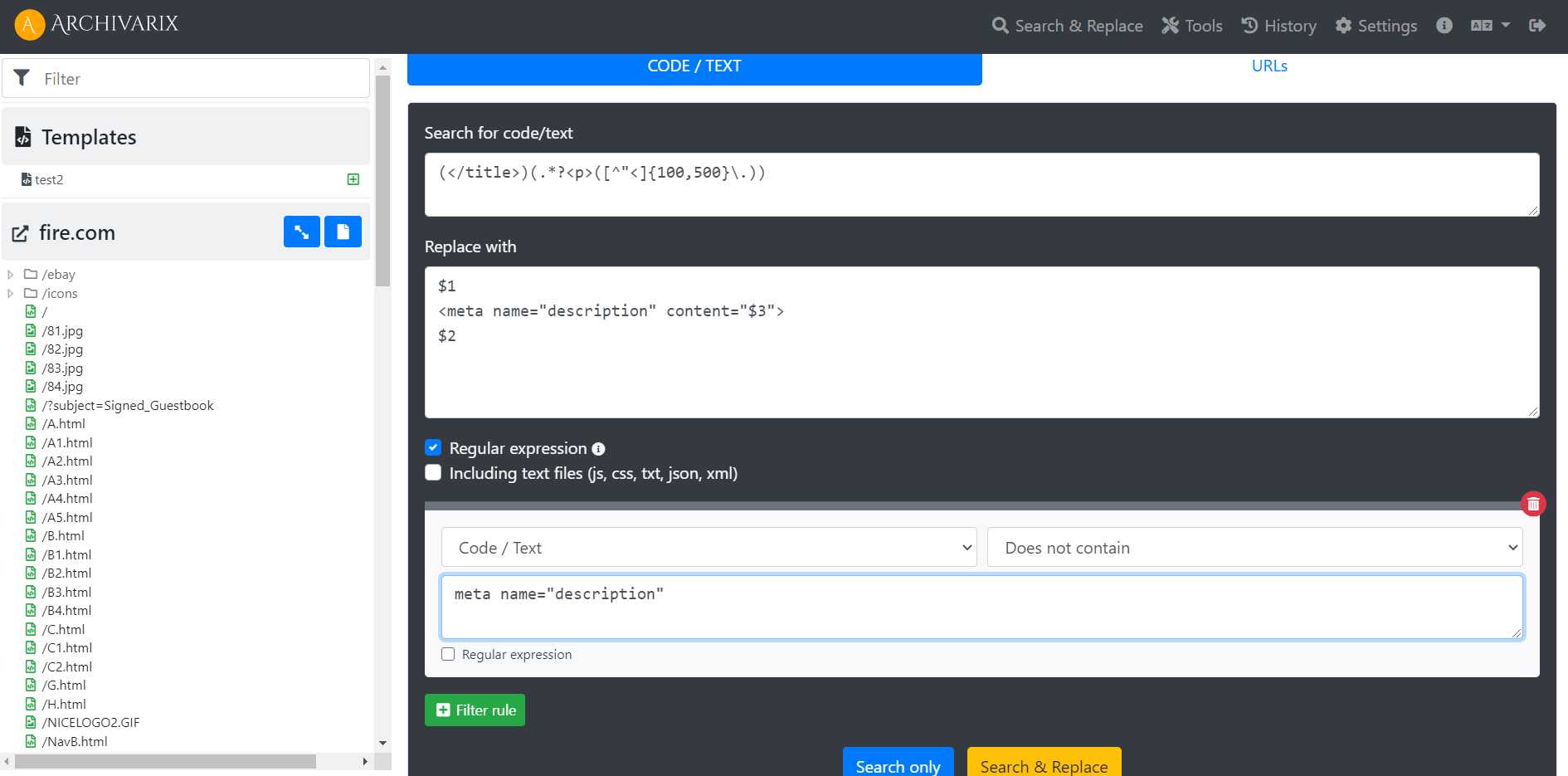
The opportunity to use regular expressions for searching and replacing in Archivarix CMS may help you with it. Simply copy the following regular expression into the appropriate fields in the Search and Replace tool and start the process.
(</title>)(.*?<p>([^"<]{50,200}\.))
$1
<meta name="description" content="$3">
$2
meta name="description"
This regular expression creates the <meta name = "description" content = tag immediately after the closing </title> and adds text from the page starting with the paragraph tag <p> and having a minimum of 20 characters and a maximum of 200 characters and closes the tag with a dot . . The filter rule makes replacements only on those pages where there is no meta name = "description" .
Another example: A restored site can be redone so that it can work from a subdirectory. This may be necessary if you need to host several restored websites on the same domain.
To begin with, we change all the paths in the site structure by using the Search and Replace URL tool .
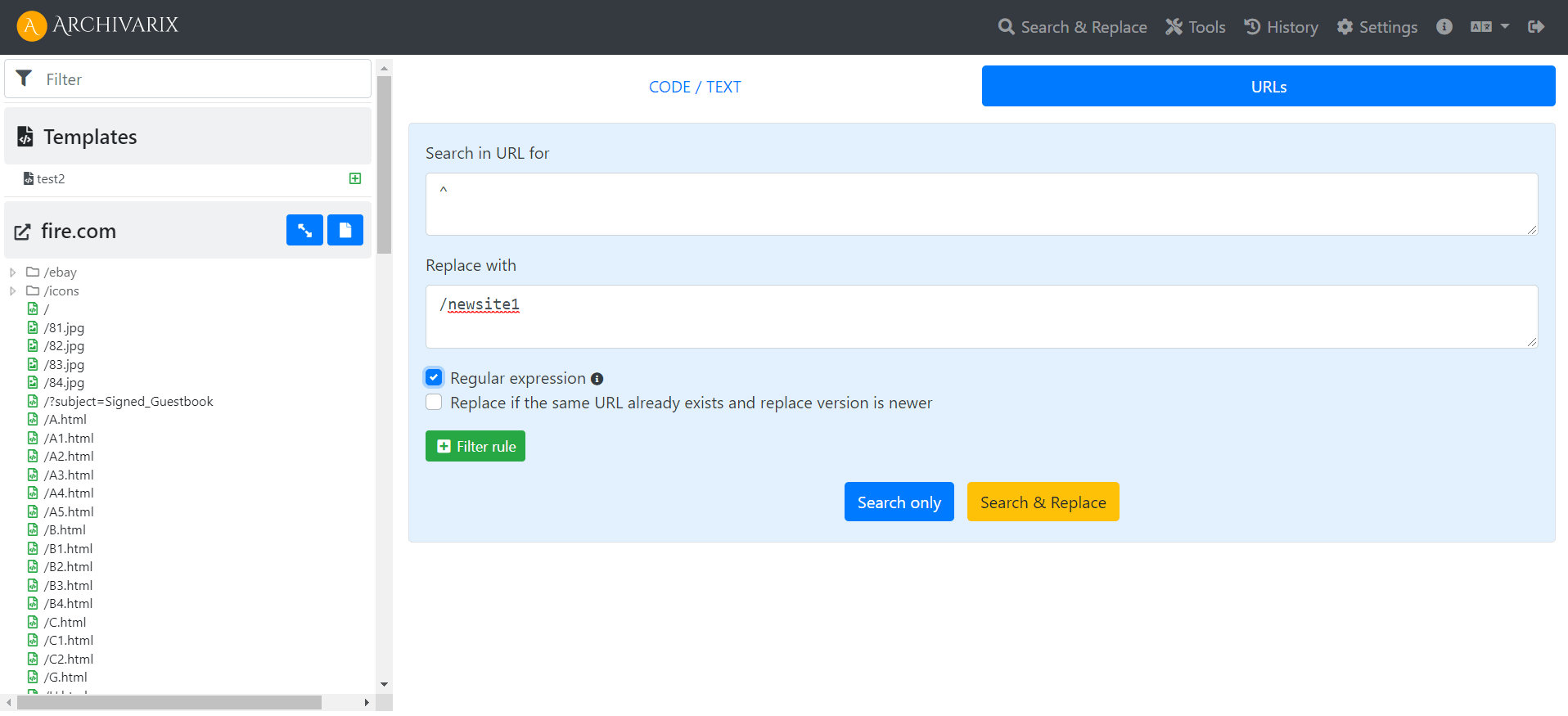
To all URLs from the beginning ^ we add a new path /newsite1
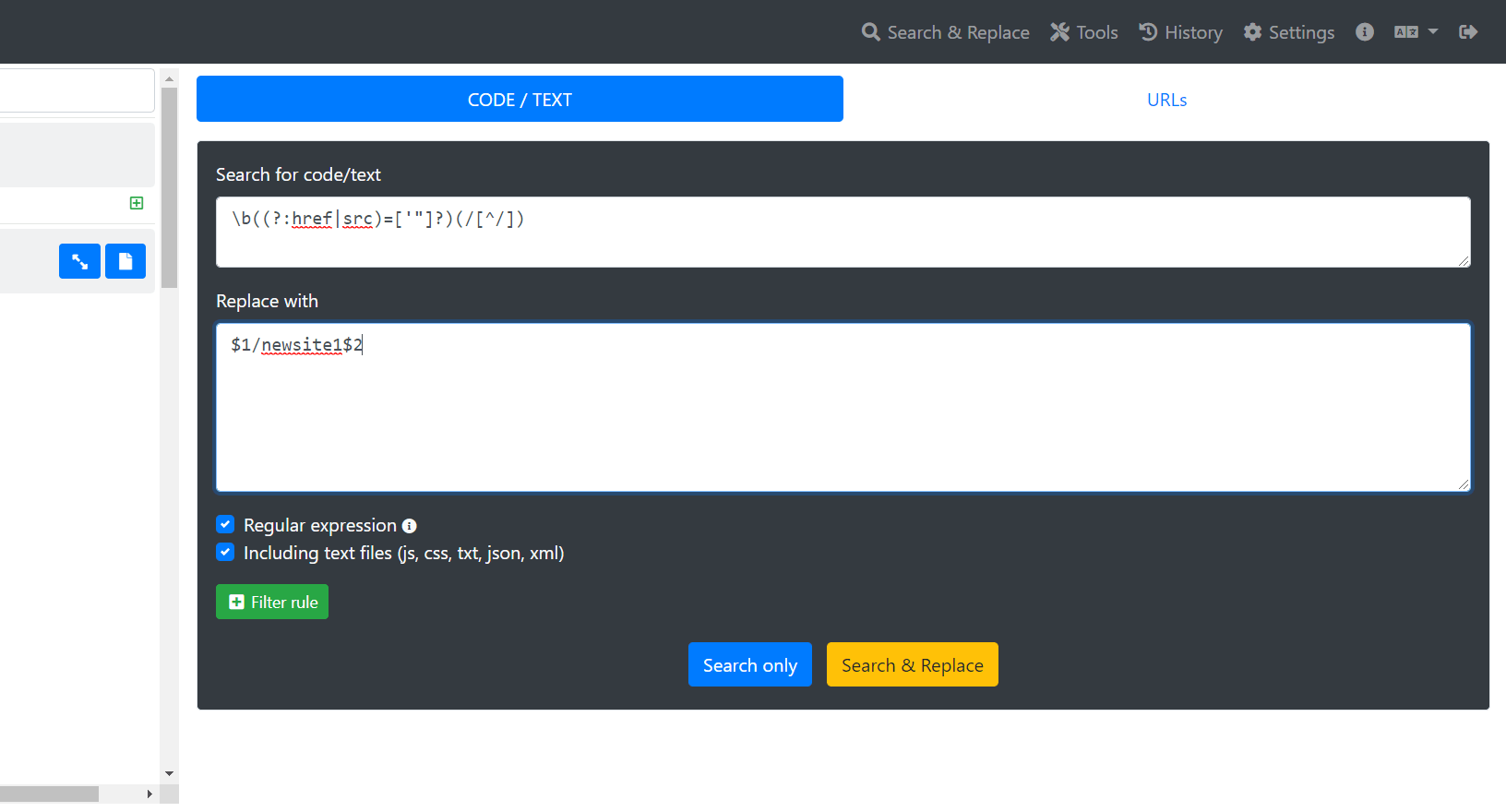
Next, we replace all the addresses inside the pages using regular expressions, be sure to include all the files (js, css, txt, json, xml) in the request:
\b((?:href|src)=['"]?)(/[^/])
$1/newsite1$2
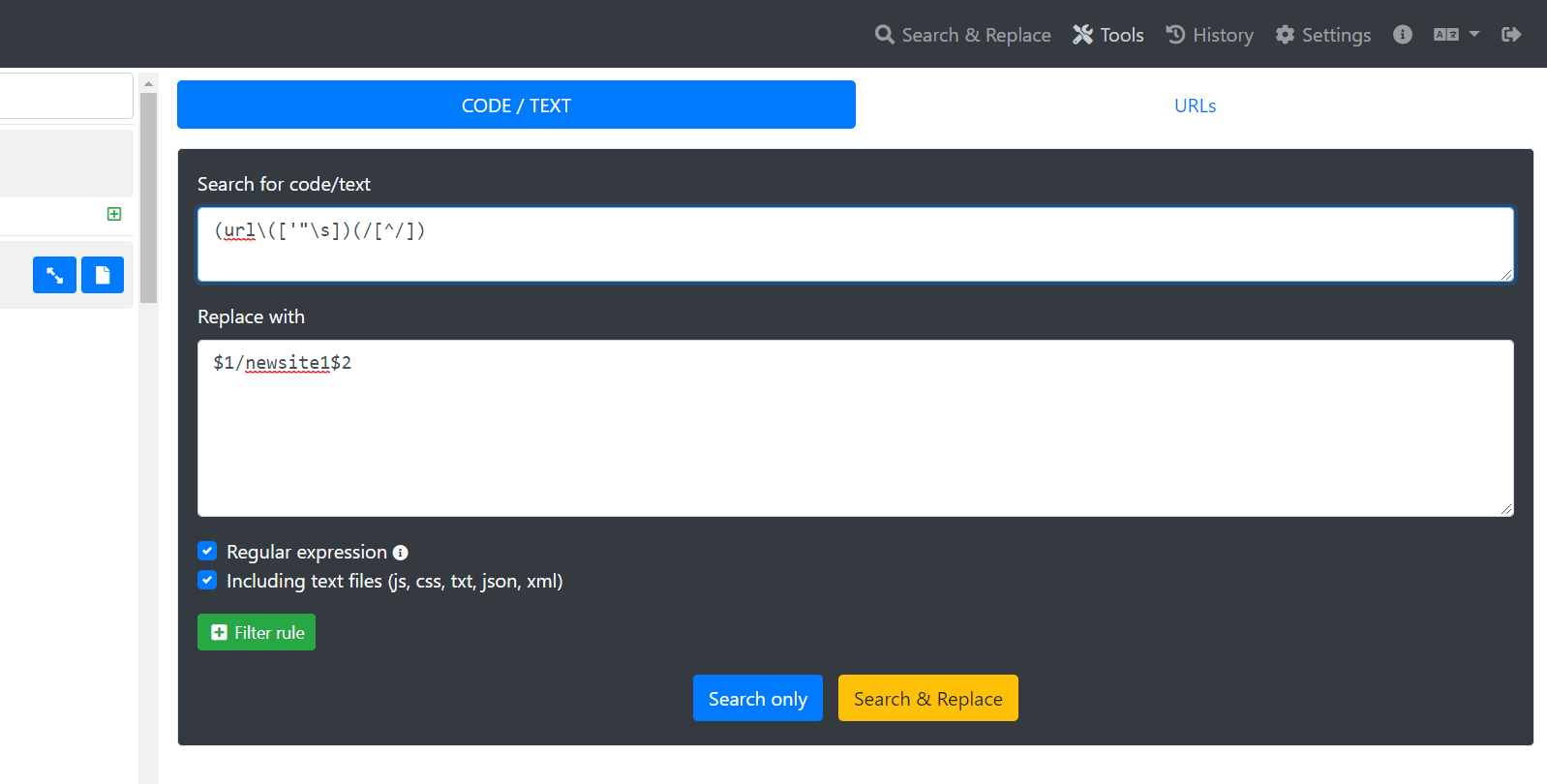
To fix links to images in CSS files, you can use the following regular expression:
(url \ (['"\ s]) (/ [^ /])
Now in the .htaccess file you need to replace the line RewriteRule. /index.php [L] on such a line - RewriteRule. /newsite1/index.php [L]
Your website will work now at domain.com/newsite1
The use of article materials is allowed only if the link to the source is posted: https://archivarix.com/en/blog/regex-add-description-website-on-subfolder/

Hi everyone,
To celebrate our anniversary, we’re bringing back our best offer of the year: up to 100% bonus credit when you add funds. We only offer a bonus this big on our anniversary — once a year.…
Tube Search now has a section of free YouTube tools. These are small utilities that solve specific everyday tasks: stepping through a video frame by frame, extracting hidden tags, checking whether a c…
You found the video you needed on YouTube, but you do not want to watch the whole thing just for a couple of lines. Or you need the text of a lecture to translate it, quote it, or simply skim through …
Open any article from a decade ago and click through the links in it. There is a good chance that some of them lead nowhere. Instead of the page you wanted, you get a 404 error, a parked domain advert…
The web keeps falling apart. Pages go offline, accounts get deleted, papers slip behind paywalls, projects shut down. Usually a copy survives somewhere, in the Wayback Machine, archive.today, Common C…
When you find a deleted YouTube video through Tube Search, you typically get metadata: a title, description, upload date, and sometimes subtitles. That is already useful. But reading through raw subti…
Tube Search is a search engine for archived YouTube data. The service aggregates information from multiple public sources: the Wayback Machine (Internet Archive), Common Crawl, and various collected Y…
Over time, external links in WordPress posts inevitably break, pages get deleted, domains expire, videos become unavailable. Checking hundreds or thousands of links manually is impractical. Archivarix…
One trillion saved pages. Over 99 petabytes of data. Hundreds of crawls running simultaneously every day. Behind these numbers lies a question that everyone who professionally works with web archives …
Buying an expired domain with history is one of the most effective ways to launch a new project with an already existing backlink profile, trust, and even traffic. Instead of promoting a bare domain f…