Common Crawl as an Alternative Data Source for Website Restoration
When it comes to restoring websites from archives, almost everyone thinks only of the Wayback Machine. That's understandable: archive.org is well known, it has a convenient interface, a trillion saved pages. But the Wayback Machine is not the only major web archive in the world. There is a project that is comparable in the volume of collected data to the Internet Archive, and in some respects even surpasses it. This project is called Common Crawl, and surprisingly few people know about it, even among those who work professionally with web archives.
In this article, we'll explain what Common Crawl is, how it differs from the Wayback Machine, and in what situations it can be a lifesaver when archive.org didn't help.
Common Crawl is a nonprofit organization founded in 2007. Its goal is simple: to regularly scan the entire accessible internet and make the results publicly available. It sounds similar to the Internet Archive, but the approach is fundamentally different.
The Wayback Machine saves copies of web pages as they appear to the user. You enter a URL, choose a date, and see the page as it looked at that moment. This is convenient for viewing and restoration.
Common Crawl works differently. Every month (sometimes a bit less frequently) their crawlers traverse billions of pages and save the results as massive archive files in WARC format. These files are stored on Amazon S3 servers and are available to anyone for free. At the time of writing, the archive contains data going back to 2008 and occupies several petabytes.
The key difference: Common Crawl does not provide an interface for viewing individual pages by URL. They have no equivalent of a "time machine" where you can enter an address and see what a website looked like in the past. The data is stored in raw form, and working with it requires technical skills.
It is precisely because of the lack of a convenient interface that Common Crawl remains little known among webmasters. However, it is very well known in the machine learning world: Common Crawl datasets have been used to train most major language models, including GPT, LLaMA, and many others.
Each crawl (the term for one scanning cycle) contains between 2.5 and 3.5 billion web pages. This is a colossal volume. For comparison: the Wayback Machine adds on average several hundred million new snapshots per month. That means in a single pass, Common Crawl can capture significantly more pages than the Wayback Machine over the same period.
Each crawl's data is split into three types of files. WARC files contain complete HTTP responses: headers, HTML code, images, scripts. WAT files contain metadata: extracted links, headers, server information. WET files contain only the text content of pages, stripped of markup.
For website restoration, we are primarily interested in WARC files because they contain the full HTML. But working with them directly is not easy: a single crawl can weigh 50-80 terabytes, and the files are not sorted by domain. Pages from a single website are scattered across thousands of archive files.
Fortunately, Common Crawl has an index. It's called the Columnar Index (the cdx-index was used previously) and it allows you to find, by URL or domain, exactly which WARC file and at what offset a given page is stored. Without this index, working with Common Crawl would be practically impossible.
In most cases, the Wayback Machine remains the best choice for website restoration. It has deep history (since 1996), convenient access, and an API. But there are situations where Common Crawl turns out to be the only option.
First situation: the website is blocked in the Wayback Machine. A website owner can submit a removal request to the Internet Archive, and all archived copies will be taken down. The archive also removes content at the request of copyright holders or by court order. If the website you need has been subject to such a block, it no longer exists in the Wayback Machine. But it may well be preserved in Common Crawl, because Common Crawl does not process individual removal requests in the same way.
Second situation: the website was blocked via robots.txt. The Wayback Machine respects robots.txt directives retroactively. This means that if a website's current robots.txt prohibits access for crawlers, the Wayback Machine will hide even old archived copies made before that restriction appeared. Common Crawl also respects robots.txt during scanning, but does not retroactively remove already collected data. If a page was accessible at the time of the crawl, it will remain in the archive.
Third situation: gaps in the Wayback Machine archive. Not all websites are scanned with equal frequency. Small websites with little traffic may have only a few snapshots over their entire existence, and the version you need may simply be absent. Common Crawl scans the internet using a different algorithm and with different priorities, so it sometimes finds pages that the Wayback Machine missed.
Fourth situation: mass data extraction. If you don't need to restore one specific website but rather analyze hundreds or thousands of domains (for example, to research link profiles or analyze content in a particular niche), Common Crawl is more convenient. Its data sits on S3, and you can access it programmatically without the rate limits that apply to the Wayback Machine API.
To search for specific URLs or domains in Common Crawl, the Index API is used. It is available at index.commoncrawl.org. A request looks like this:
https://index.commoncrawl.org/CC-MAIN-2025-51-index?url=archivarix.com/*&output=json
Here CC-MAIN-2025-51 is the identifier of a specific crawl (year and week number), and archivarix.com/* means search for all pages of the domain. In response, you'll receive JSON with information about found pages: URL, HTTP code, MIME type, as well as coordinates in the WARC file (filename, offset, and length).
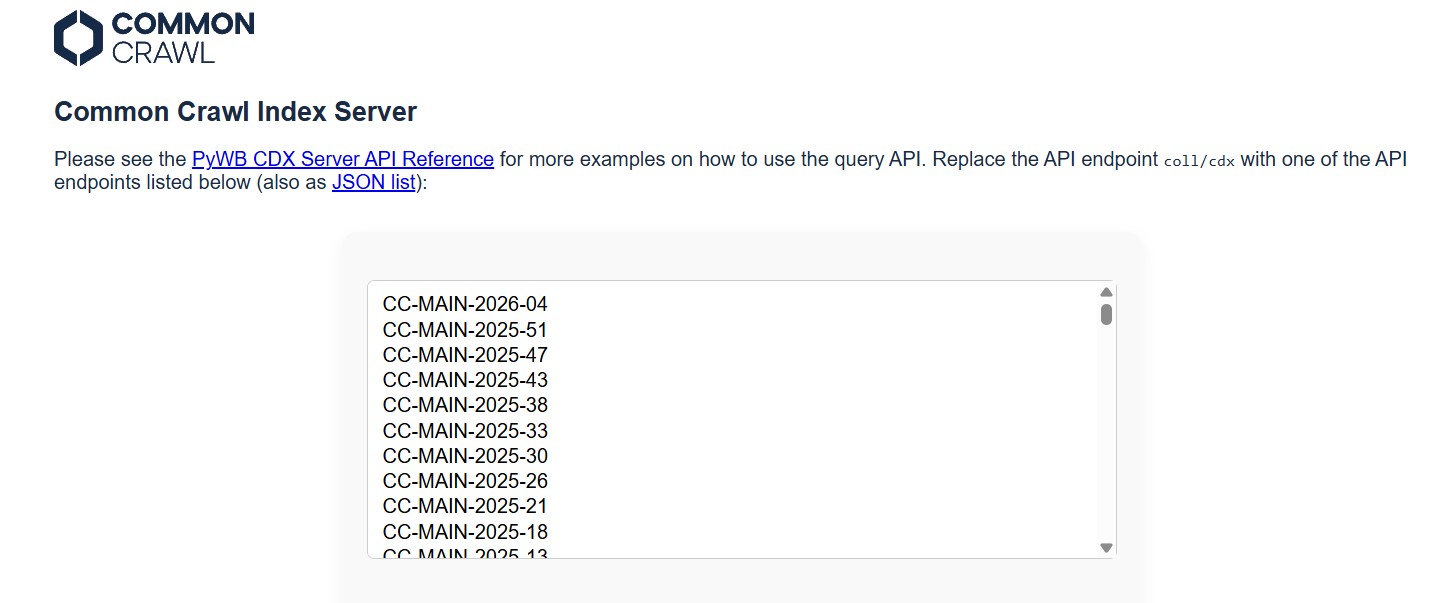
To find out which crawls are available, you can query:
https://index.commoncrawl.org/collinfo.json
This endpoint will return a list of all indexed crawls with dates.
The problem is that you need to search each crawl separately. If you're interested in a website across its entire history, you'll have to iterate through all available crawls. That's dozens of requests, but the process is easily automated with a script.
Once you have the coordinates of the desired page in a WARC file, you can download just the needed fragment without loading the entire file (which can weigh a gigabyte). For this, an HTTP Range request to S3 is used:
https://data.commoncrawl.org/crawl-data/CC-MAIN-2025-51/segments/.../warc/CC-MAIN-....warc.gz
With the header Range: bytes=offset-end, where offset and end are taken from the index response.
Limitations of Common Crawl
For all its merits, Common Crawl has significant limitations that need to be considered.
Historical depth is limited. The earliest data dates back to 2008, but full crawls with good coverage begin around 2013-2014. For comparison: the Wayback Machine stores pages going back to 1996. If you need a website as it looked in the early 2000s, Common Crawl won't help.
Scanning frequency is irregular. Crawls are conducted roughly once a month, but not every website makes it into every crawl. A specific page may be in one crawl and absent from the next three. There is no continuous change history here, as there is with the Wayback Machine.
No images and static resources in the sense that the Wayback Machine saves them. Common Crawl saves HTTP responses, and if an image was served as a separate request (which is most often the case), it may not make it into the archive. The page's HTML code will be there, but without images and CSS the website will look like a bare skeleton. For a full visual restoration, this may not be enough.
The data format is inconvenient for manual work. WARC files need to be parsed with specialized libraries (warcio for Python, or the CDX Toolkit utility). Without programming skills, working with Common Crawl is difficult.
Data size can be a problem. Even if you only need one domain, searching the index and downloading WARC file fragments takes time and a stable internet connection. For large websites with tens of thousands of pages, the process can take several hours.
Working with Common Crawl directly via HTTP requests is possible but tedious. There are tools that simplify the process.
comcrawl. A simple Python library for searching and downloading pages from Common Crawl. A few lines of code let you find all archived copies of a specific URL or domain and download their HTML.
cdx_toolkit. A more powerful tool by developer Greg Lindahl that can work simultaneously with Common Crawl indexes and the Wayback Machine CDX API. Useful when you need to compare what's in both archives.
cc-index-table. If you need large-scale analysis, Common Crawl publishes its index in Apache Parquet format, which can be processed through Amazon Athena or any other big data tool. This allows queries like "find all pages from the *.gov.uk domain for 2024" in a matter of seconds.
warcio. A low-level Python library for reading and writing WARC files. Useful if you want to parse downloaded archives yourself.
The use of article materials is allowed only if the link to the source is posted: https://archivarix.com/en/blog/commoncrawl/

When you find a deleted YouTube video through Tube Search, you typically get metadata: a title, description, upload date, and sometimes subtitles. That is already useful. But reading through raw subti…
Tube Search is a search engine for archived YouTube data. The service aggregates information from multiple public sources: the Wayback Machine (Internet Archive), Common Crawl, and various collected Y…
Over time, external links in WordPress posts inevitably break, pages get deleted, domains expire, videos become unavailable. Checking hundreds or thousands of links manually is impractical. Archivarix…
One trillion saved pages. Over 99 petabytes of data. Hundreds of crawls running simultaneously every day. Behind these numbers lies a question that everyone who professionally works with web archives …
Buying an expired domain with history is one of the most effective ways to launch a new project with an already existing backlink profile, trust, and even traffic. Instead of promoting a bare domain f…
When it comes to restoring websites from archives, almost everyone thinks only of the Wayback Machine. That's understandable: archive.org is well known, it has a convenient interface, a trillion saved…
We've released a browser extension called Archivarix Cache Viewer. It's available for Chrome, Edge and Firefox. The extension is free and contains no ads whatsoever.
The idea is simple: quick access …
When you restore a website from the Web Archive, you expect to get original content that was once written by real people. But if the site's archives were made after 2023, there's a real chance of enco…
In October 2025, the Wayback Machine reached the milestone of one trillion archived web pages. Over 100,000 terabytes of data. This is a massive achievement for a nonprofit organization that has been …
We are pleased to introduce version 2.0 of our WordPress plugin for importing external images. This is not just an update, the plugin has been completely rewritten from scratch based on modern requir…